 Yuzudesk
How-to guides / Export for taxes
How to export for taxes
Goal: save your income, expenses, receipts and invoices for the year in files you can hand to your accountant or load into tax software.
Yuzudesk helps you keep track of your numbers and export them. It doesn't give tax advice. Ask your accountant or tax office what to report and how.
Before you export
- Every invoice that's been paid is marked Paid, with the right Paid on date.
- Deals paid without an invoice have Paid ticked.
- Your expenses for the year are in, with receipts attached where you have them.
- If your tax year doesn't start in January, Fiscal year starts in is set under Settings.
Steps
-
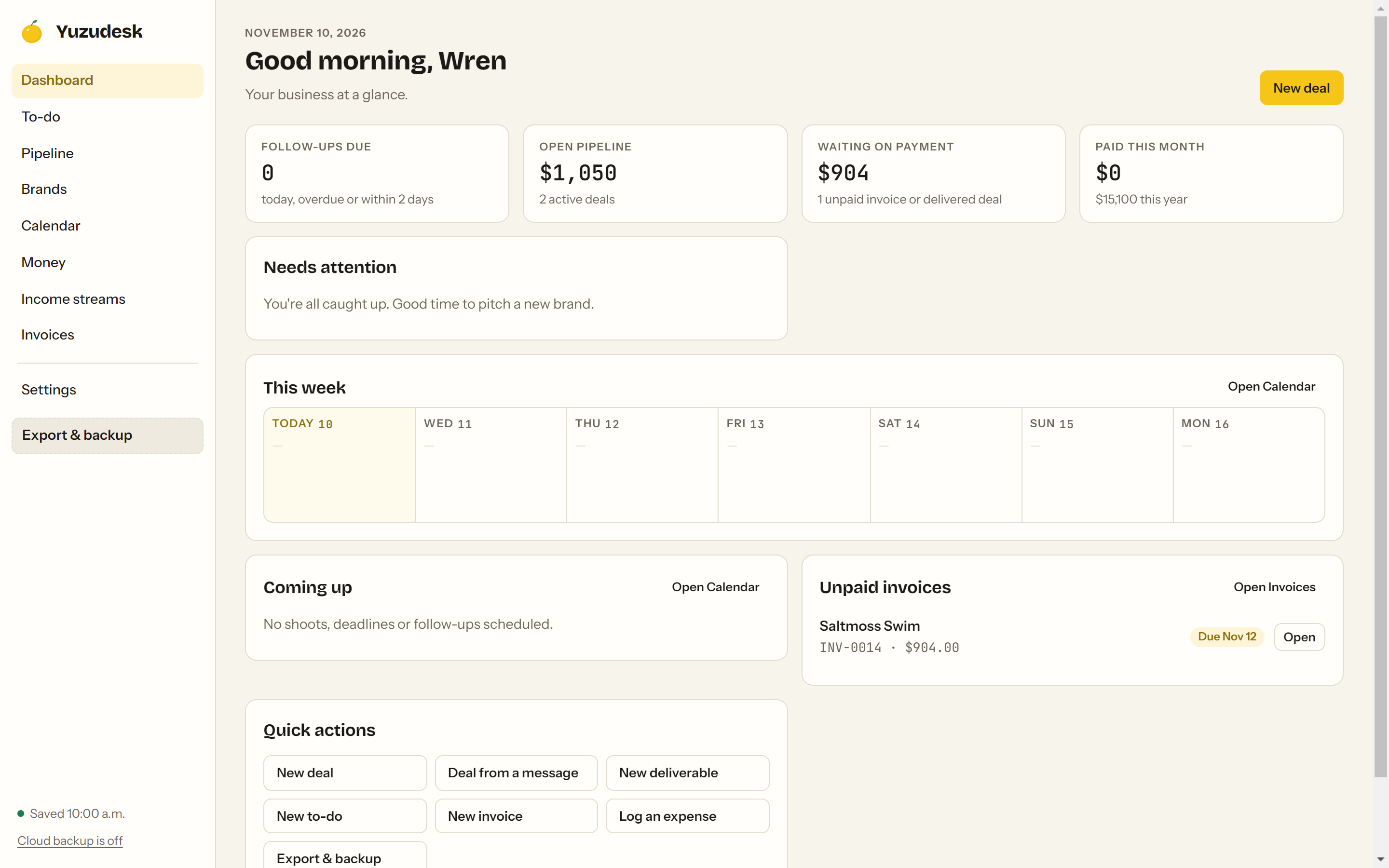
Click Export & backup at the bottom of the sidebar. (The Export button on the Money page opens the same window.)
-
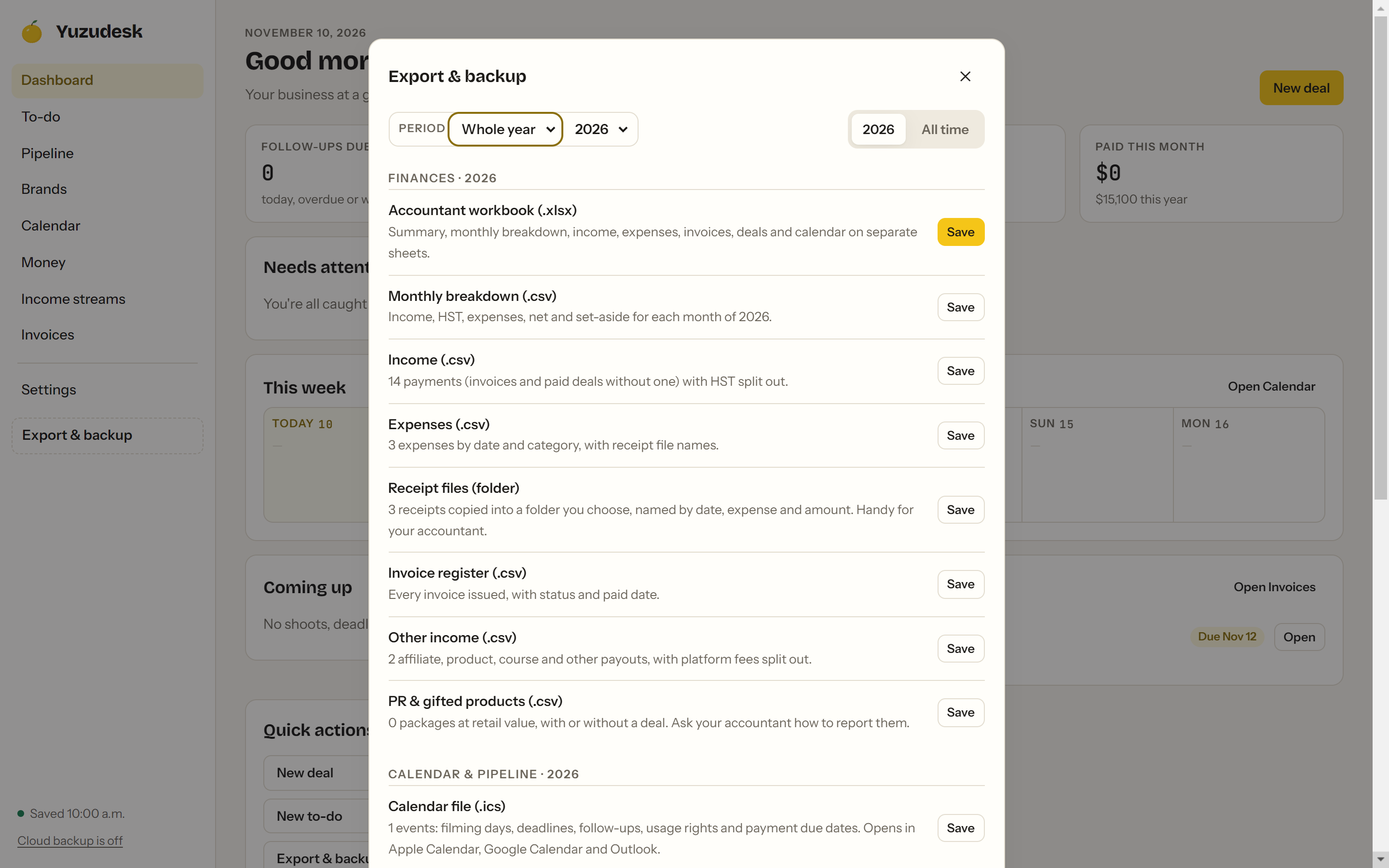
Next to Period, leave the first menu on Whole year and pick the year in the second menu. Then make sure the year's tab is selected, not All time. The section heading changes to match, for example "Finances · 2026".
-
Next to Accountant workbook (.xlsx), click Save and choose where to put it. This one file has a summary, a monthly breakdown, income, expenses, invoices, deals and more, each on its own sheet. When it's saved, click Show file in the message at the bottom to find it.

-
Next to Receipt files (folder), click Save and choose a folder. Yuzudesk copies every receipt attached to an expense in that year, named by date, expense and amount.

-
If your accountant prefers separate files, the same window has Monthly breakdown (.csv), Income (.csv), Expenses (.csv), Invoice register (.csv), Other income (.csv) and PR & gifted products (.csv). Click Save on each one you need.
-
Click Save next to Full backup (.json) too, and keep that file somewhere safe. It's everything in Yuzudesk as it was on the day you filed.
What's in the accountant workbook
Sheets: Summary, Income, By type, To-dos, Expenses, Other income, PR & gifted, Invoices, Deals, Brands and Calendar.
The Summary sheet lists brand deals earned (paid, before tax), other income before and after platform fees, sales tax collected, expenses, what's still owed, and PR at retail value, followed by the month-by-month breakdown with your tax set-aside.
Tips
- Sales tax is split out. Income and invoices show the subtotal, the tax you collected (named after your Tax name, for example "HST collected") and the total.
- Income follows the paid date; the invoice register follows the issue date. An invoice issued in December and paid in January is in December's invoice register and January's income.
- PR and gifted products are exported at retail value. Yuzudesk keeps them out of your cash income. Ask your accountant how to report them.
- Need the invoice PDFs too? Open each invoice on the Invoices page and click Save PDF.
- Monthly breakdown (.csv) always covers the whole year you picked, even if you picked a single month.